

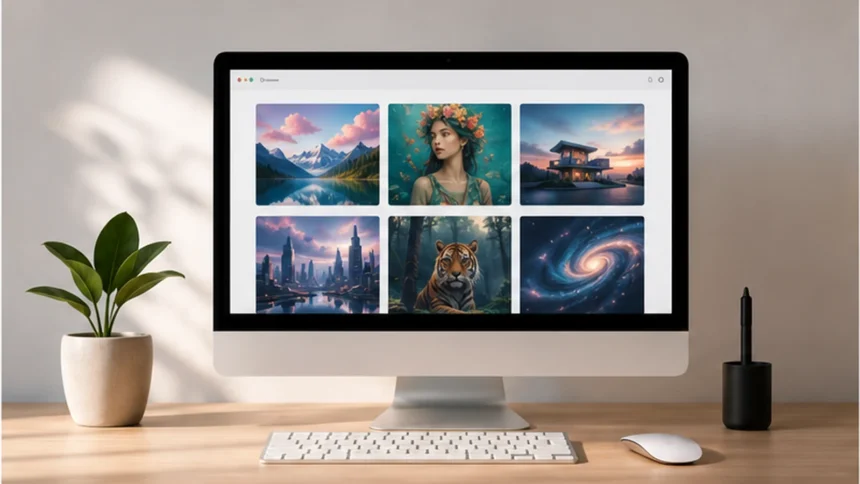
AI image generators have improved quickly. In 2026, the best tools can do much more than turn a short prompt into a picture: they can edit existing images, follow reference visuals, preserve styles, render useful text and fit directly into creative workflows.
- Quick verdict: the best AI image generators in 2026
- How to choose an AI image generator
- 1. ChatGPT Images — best overall for everyday image creation and editing
- 2. Midjourney — best for visual style and premium-looking results
- 3. Adobe Firefly — best for professional and brand workflows
- 4. Gemini with Nano Banana 2 — best for fast editing and text-heavy visuals
- 5. Leonardo AI — best for creative control and model choice
- 6. Canva Magic Media — best for quick marketing and social graphics
- Best AI image generator by use case
- What is the best free AI image generator?
- AI image generators are becoming editing tools, not just generators
- Final verdict
- Frequently asked questions
- Sources
The right tool depends on what you actually want to create. Midjourney is very different from Adobe Firefly, while ChatGPT Images, Gemini, Leonardo AI and Canva each solve a slightly different creative problem.
In this guide, we compare six of the best AI image generators in 2026 and explain which one makes the most sense for different types of users. For a broader overview, see our best AI tools in 2026 guide.
Quick verdict: the best AI image generators in 2026
| Tool | Best for | Main strength |
|---|---|---|
| ChatGPT Images | Everyday creation and editing | Natural conversational workflow |
| Midjourney | High-end visual aesthetics | Strong style and image quality |
| Adobe Firefly | Professional creative workflows | Integrated generation, editing and brand control |
| Gemini / Nano Banana 2 | Fast generation, editing and text | World knowledge, image editing and text rendering |
| Leonardo AI | Creative control and model choice | Multiple models plus editing tools |
| Canva Magic Media | Simple social and marketing design | Generation directly inside Canva |

How to choose an AI image generator
There is no single image generator that is best at everything. Before choosing one, focus on the workflow rather than the brand name.
- Image quality: Does the tool consistently create visuals that look polished enough for your use case?
- Prompt control: Can it follow detailed instructions without forcing a strong default style?
- Editing: Can you modify an existing image instead of starting again?
- References and consistency: Can you guide the output with images, styles or reusable brand references?
- Text rendering: Important if you create ads, posters, UI concepts or graphics containing words.
- Workflow: A slightly weaker generator may still be the better choice if it fits directly into the tools you already use.
1. ChatGPT Images — best overall for everyday image creation and editing
Best for: marketers, creators and everyday users who want to create and edit images through normal conversation.
ChatGPT Images is one of the easiest tools to use because image generation and image editing happen inside the same conversation. You can describe an image, generate it, upload an existing picture and then ask for specific changes without rebuilding the entire prompt from scratch.

OpenAI’s current image experience supports creating new images, editing uploaded or generated images, changing parts of an image, adding details, generating transparent backgrounds and choosing different aspect ratios.
Why choose it: it is especially useful when your workflow is iterative. Instead of thinking like a prompt engineer, you can work more like a creative director: generate, review, request a change and continue refining.
2. Midjourney — best for visual style and premium-looking results
Best for: concept art, editorial visuals, moodboards and creators who care strongly about aesthetics.
Midjourney remains one of the strongest choices when the main goal is to produce striking imagery. Its current default model is V8.2, which Midjourney says focuses on aesthetics, image quality and personalization.
Personalization is one of the features that makes Midjourney different. Users can create preference profiles and moodboards so the system can better reflect a preferred visual direction across generations. It also includes image prompts, style references, remixing and web-based editing tools.
Why choose it: use Midjourney when the final look matters more than having the simplest possible editing workflow.
3. Adobe Firefly — best for professional and brand workflows
Best for: designers, marketing teams and brands already working inside Adobe’s creative ecosystem.
Adobe Firefly is less about one isolated image model and more about an end-to-end creative environment. Adobe has expanded Firefly into a studio that combines image generation, image editing, video tools and access to multiple third-party models alongside Adobe’s own models.
For professional teams, its custom-model workflow is particularly interesting. Adobe allows eligible users to train reusable models on their own visual assets so generated content can stay closer to a specific illustration style, character or photographic look.
Why choose it: Firefly makes the most sense when AI-generated images are part of a larger production workflow and need to move into professional editing instead of ending at the first generated image.
4. Gemini with Nano Banana 2 — best for fast editing and text-heavy visuals
Best for: users who want fast generation, image editing and stronger handling of information or text inside visuals.
Google’s Nano Banana 2, also known as Gemini 3.1 Flash Image, is built for high-fidelity image generation and faster advanced editing. Google also highlights improved world knowledge, stronger text rendering and in-image localization.
That combination makes Gemini especially interesting for practical visuals where the model needs to understand a real-world reference, make a targeted image edit or generate text that is actually part of the design.
Why choose it: it is a strong option when visual creation needs to be fast, information-aware and connected to the wider Gemini ecosystem.
5. Leonardo AI — best for creative control and model choice
Best for: creators who want to experiment with different image models and refine visuals in one platform.
Leonardo AI combines text-to-image generation with image-to-image tools, prompt-based editing, background removal, image guidance, upscaling and workflows for keeping characters and visual styles more consistent.
Another advantage is model choice. Instead of forcing every task through one generator, Leonardo gives creators access to multiple models and lets them choose a workflow based on the type of result they want.
Why choose it: Leonardo is a good middle ground between a simple consumer generator and a more technical creative platform.
6. Canva Magic Media — best for quick marketing and social graphics
Best for: social media teams, small businesses and users who already create graphics in Canva.
Magic Media sits directly inside Canva, which is its biggest advantage. You can describe an image, select a style, choose a square, landscape or portrait format and add the result straight into a design.
Canva also lets users work with reference images and generate photos, digital art, fine-art styles and graphics without leaving the same interface used for presentations, social posts and marketing assets.
Why choose it: if the generated image is only one part of a finished design, Canva can remove several extra steps from the workflow.
Best AI image generator by use case
- Best overall for most users: ChatGPT Images
- Best for artistic image quality: Midjourney
- Best for professional Adobe workflows: Adobe Firefly
- Best for fast editing and text-heavy images: Gemini / Nano Banana 2
- Best for model choice and creative control: Leonardo AI
- Best for social and marketing design: Canva Magic Media
What is the best free AI image generator?
Free access changes frequently, so it is better to compare current usage limits than assume a tool will always stay free. ChatGPT Images is currently available across ChatGPT tiers, while Leonardo AI offers a free way to try its image generator. Canva and Gemini also provide image-generation access in selected plans and experiences, although limits can vary.
If you only need occasional images, a free tier may be enough. If you generate visual content every day, the more important question is whether the paid workflow saves enough time to justify the cost.
AI image generators are becoming editing tools, not just generators
The clearest trend in 2026 is that image generation and image editing are merging. The strongest platforms increasingly let you start from a prompt, bring in a reference image, adjust one area, preserve a visual style and continue refining the result without starting over.
This matters more than a single impressive demo image. For real marketing, design and publishing work, consistency and revision are usually more valuable than getting one perfect first result.
The same shift is happening across other AI categories. If you also work with software development, see our comparison of the best AI coding tools in 2026.
Final verdict
If you want the easiest all-round workflow, ChatGPT Images is a strong place to start. If visual style is your priority, Midjourney remains one of the strongest creative options. Adobe Firefly is better suited to professional production and brand workflows, while Gemini stands out for fast editing and practical text-aware generation.
Leonardo AI is a strong choice for creators who want more model and editing flexibility, and Canva Magic Media is the easiest fit when you want to move directly from a generated visual into a finished social or marketing design.
Frequently asked questions
What is the best AI image generator in 2026?
For most users, ChatGPT Images is one of the best all-round choices because generation and editing happen in the same conversational workflow. Midjourney is stronger when visual style and aesthetics are the main priority.
Which AI image generator is best for realistic images?
Several tools can create strong photorealistic results. Midjourney, Leonardo AI, Adobe Firefly, Gemini and ChatGPT Images can all work well, but results depend heavily on the prompt, model and reference images you use.
Which AI image generator is best for text in images?
Gemini’s Nano Banana 2 specifically emphasizes improved text rendering and in-image localization. ChatGPT Images can also follow instructions to add text to generated images.
Can AI-generated images be used commercially?
Commercial-use rights depend on the platform, your plan, the generated content and local law. Before using generated images for a client, product or campaign, check the current terms of the specific tool and avoid using protected brands, copyrighted characters or recognizable people without appropriate rights.